1
See who to bring back.
Paste your patient list. People who missed a visit come first. Next come people who just stopped coming. Anyone you saw too recently stays off the list.
Your list stays on your computer. It never goes in ChatGPT.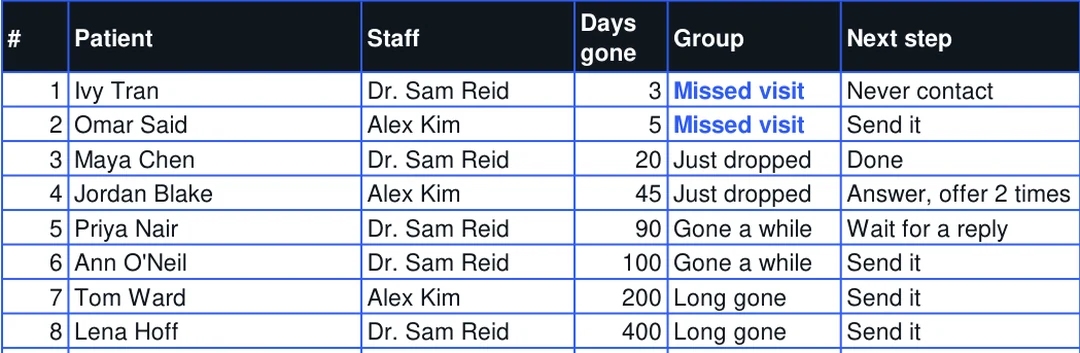
This kit is for chiropractors and acupuncturists. You get an Excel sheet, a ChatGPT setup, a guide and patient paper. See who to contact this week. Send each message in one click. When a new patient writes, ChatGPT uses your facts. If it doesn't know, it asks you.
You know you should reach out to patients who stopped coming.
Then the day ends, and the list waits another week.
A service to bring them back starts at C$249 a month. ChatGPT alone doesn't know your clinic, so it guesses.
A new patient writes
Do you treat sciatica?
"Yes, we do assess and treat patients experiencing sciatica."
The clinic never said that.
"I would want to talk it through with you."
It promises nothing. You decide the answer.
Another patient writes
Do you see people on Saturdays?
"Yes, we’d be happy to help! We do offer Saturday appointments."
Wrong. This clinic is closed on Saturdays.
"We are open Monday to Thursday, 8 to 6, and Friday, 8 to 1. We are closed on Saturdays."
Right, from the clinic's own hours.
When the facts are missing, plain ChatGPT makes nothing up only 21% of the time. With your facts pasted in, 33%. With this kit, 92%.
1
Paste your patient list. People who missed a visit come first. Next come people who just stopped coming. Anyone you saw too recently stays off the list.
Your list stays on your computer. It never goes in ChatGPT.2
The message is ready, with their name in it. Click Text or Email. Read it, then send it. Mark what happened, and the sheet tells you who to call next.
Nothing sends until you press send.Maya ChenJust dropped, 20 days
Hi Maya, it's Dr. Sam Reid at Northside Chiropractic. We noticed you haven't booked your next visit. How have you been feeling?
TextEmailStatus: Sent. Next step: wait for a reply
Sample from the sheet.
3
Paste a reply into ChatGPT. It sorts the reply and writes a short answer. If it looks urgent, it tells you to call that patient first.
Emergency replies say to call 911 first.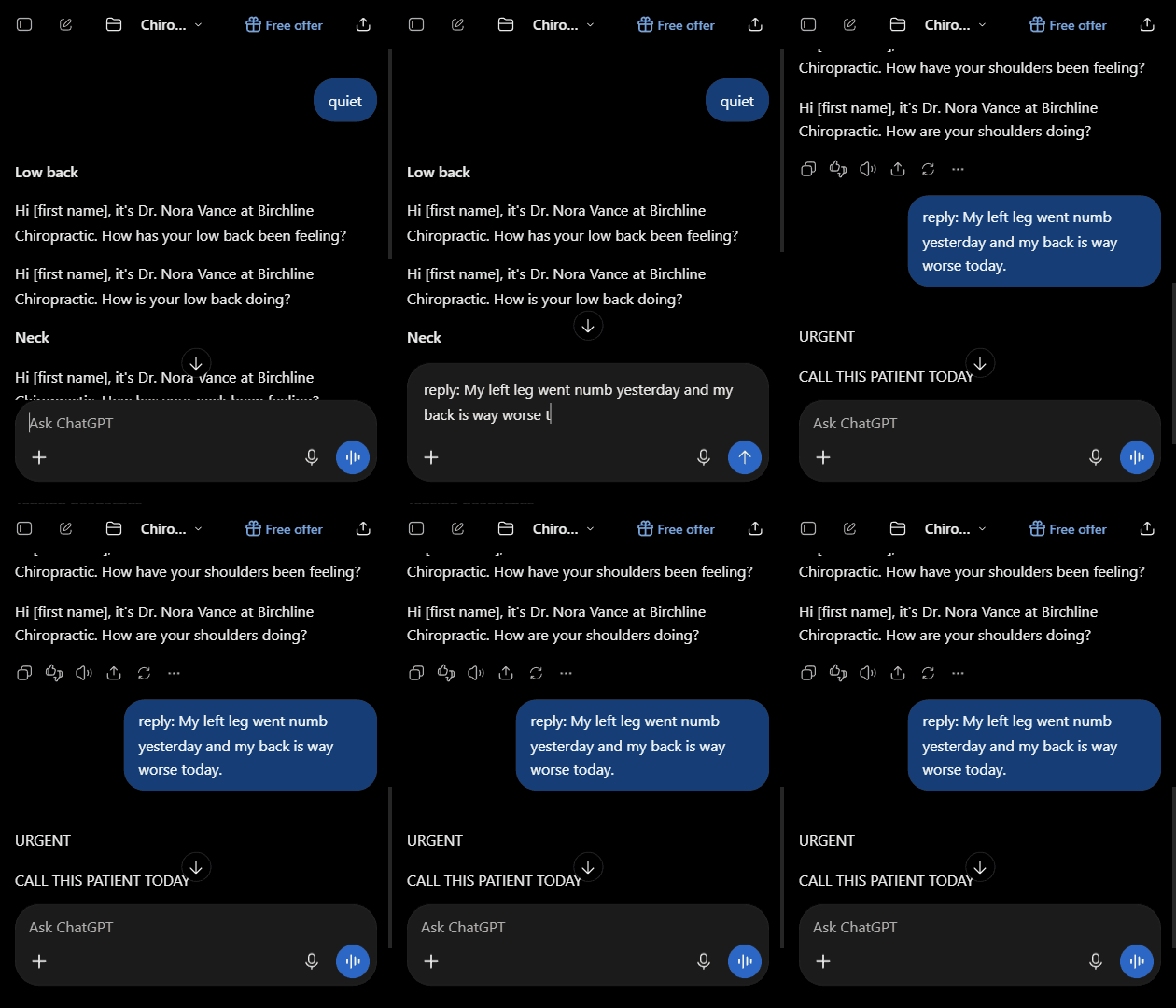
4
Your front desk can copy saved answers. No ChatGPT needed. For anything new, type inquiry. It uses your facts. If a fact is missing, it asks you first. Answer once, and it won't ask again.
When a fact is missing, it makes nothing up 92% of the time.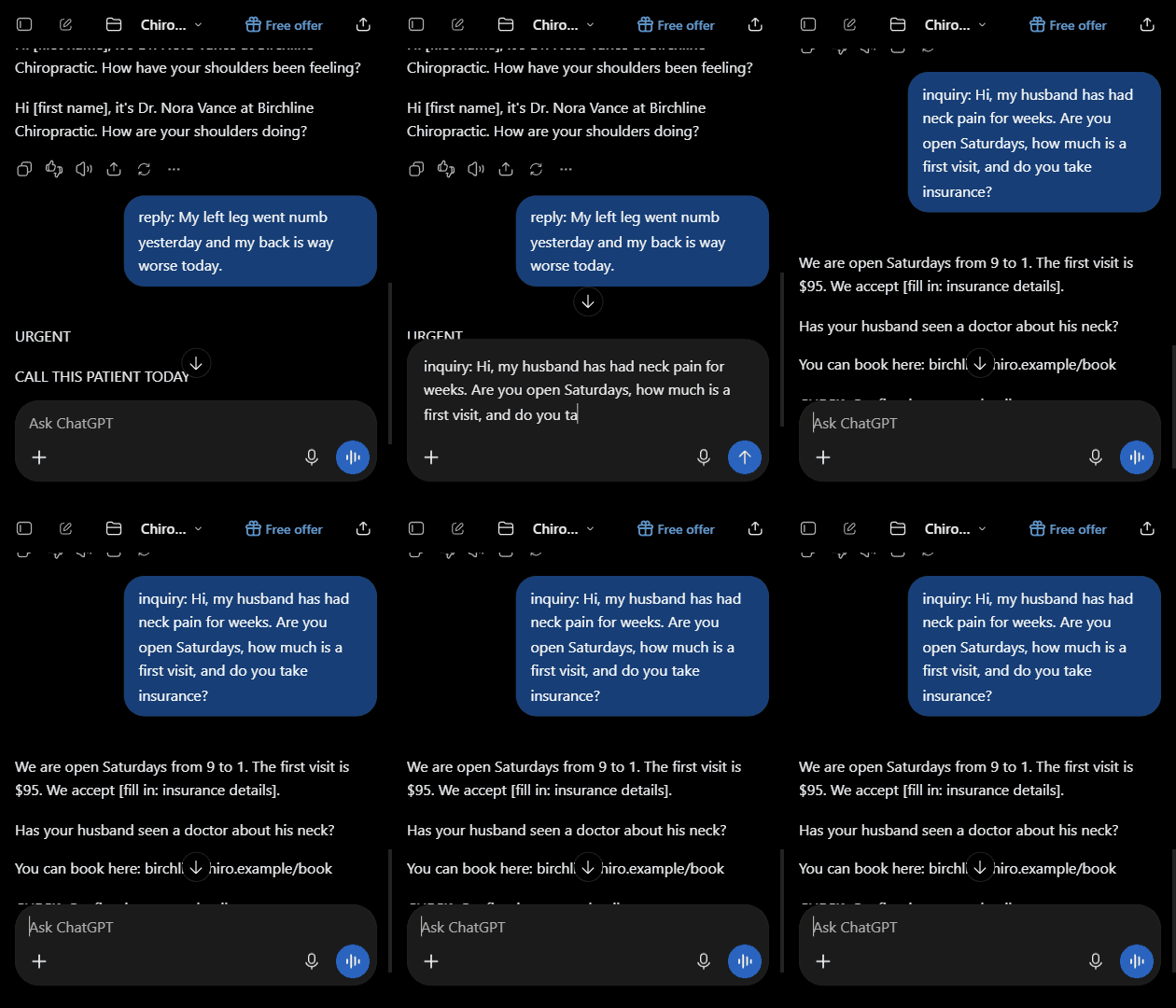
5
The sheet adds up messages, replies, booked visits and money. You see the total, and each staff member.
You see who came back and what it was worth.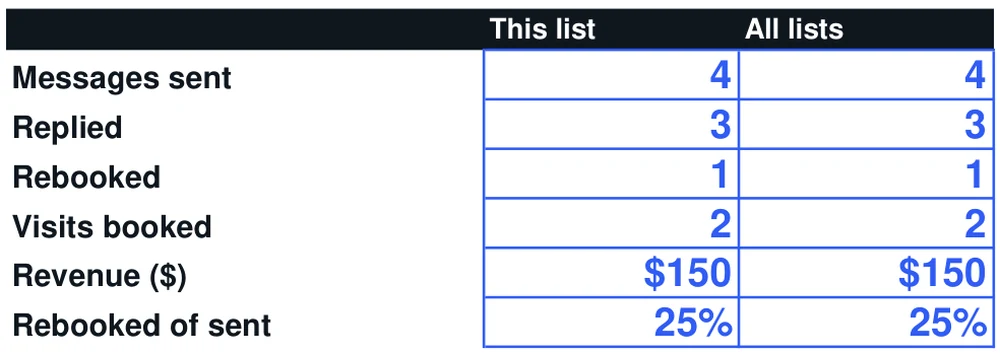
Start with one list. The guide walks you through it. At the end, you see who came back and what it was worth.
of the time, it makes nothing up when the facts are missing. Plain ChatGPT: 21%.
common questions with saved answers. Your front desk can just copy them.
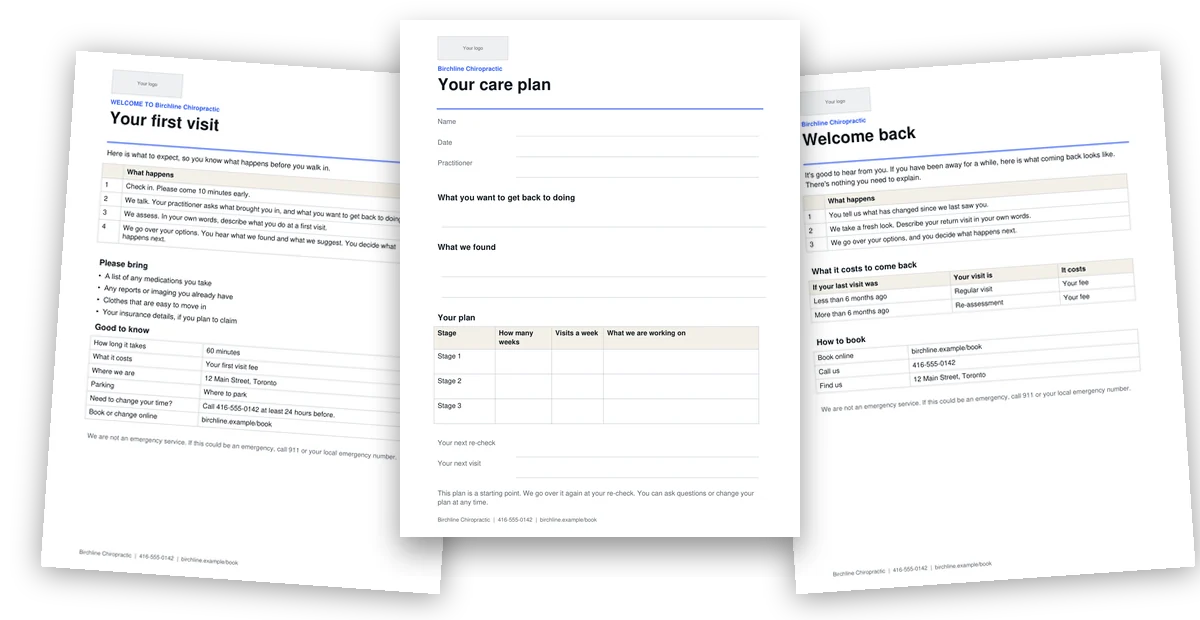
pages of patient paper. Add your logo and print.
Want it done for you? Send setup to @getinqry on Instagram.
Any software that can save your patients to Excel or CSV. You need a name, a phone or email, and a last visit date. In Jane, use the Unscheduled Patient Report. The sheet does the rest.
No. It stays in your Excel file. It never goes to ChatGPT or to us. Nothing sends by itself. Only your clinic's facts go to ChatGPT.
No. If you can download a report, paste it into Excel and click a link, you can do this. The guide shows you every step.
Excel, Word and a free ChatGPT account. You don't need a paid plan.
Your clinic name, your logo and your own words. You write anything about health. It's a Word file, so you don't need Canva.
You write the messages once, in your own words. It adds each patient's name. You read every draft before it goes out.
Yes. It's made for both. Everything comes from your own list and your own sheet.
Click Get the kit, answer 4 quick questions and type your email. Your files open right away, no card needed. They work best on a computer. Each copy is for one clinic.
The Clinic Role Kit
4 quick questions. No card. For one clinic.
Get the kitWant my team to run it for you? Send setup to @getinqry.